

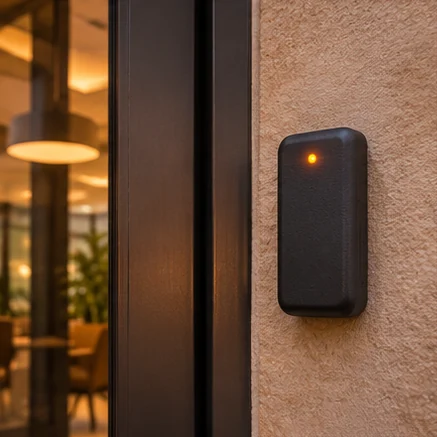
What should that door do for the people using it?
Start with the workday. A business may want staff to reach an office before reception opens, a controlled way for a vendor to arrive or a simple change after an employee leaves. Write down who needs each opening and whether the time of day matters. Then identify who issues credentials. A staff member responsible for keys may be different from the person who administers software or permissions. For a small office, choose an approach that the people who work there can maintain after the initial change.
Normal exit is part of planning any controlled opening. For a required exit, rated opening or shared property, involve the facilities team from the start. A change in access can affect how visitors come in, where staff leave and what the opening does during an interruption. Ask the people responsible for building systems, wiring and the door to agree on the circumstances that must be considered. If an electronic credential and physical key both operate the opening, include both in the discussion.
Follow the symptom at the door
If the reader behaves as it usually does but the door will not release, describe what you saw and what you could hear. Then share whether the door closes fully, whether the latch rubs and whether anything on the opening was serviced recently. A credential approval and a latch moving are separate steps. Knowing whether the sign of trouble is at one door or across a group of users helps narrow which people should be involved. Keep codes, card information and account details out of photos and messages.
If a new user is the only person affected, have your administrator check the intended access group and whether the user needs that opening. If a problem happens at a particular hour, note the time for the administrator. If the same thing happens with every authorized credential, report that before arranging a visit. A door hardware, power, controller or enrollment issue can all affect the outcome. Confirm which parts of the system can be reviewed by us and which belong with the building's administrator or existing provider.
Write the change in terms the staff can understand
A clear description could be that an approved cleaner needs the suite after reception closes, or that a vendor should use a service entry for a set period. Give the administrator the opening identifier and the group involved. Ask which functions the existing lock, reader and controller already provide. If a door is hard to close or the latch does not settle, explain the mechanical problem in the same call instead of treating it as a separate detail to resolve after a reader is chosen.
Before work, decide who will keep the records and who can approve a future credential change. Staff can usually report the opening and what they experienced without sharing card numbers or access codes. Confirm how to escalate a fault that affects several entrances and how to reach the person who can adjust permissions. A named local contact for a Downtown building makes the next service visit much more straightforward.
Standalone or managed with other openings
A single suite with a small group might use a standalone keypad. A building with frequent turnover or several doors might use a managed reader and credentials. Think about how you want to add users, remove access and respond to a lost card. For a site that already uses a platform, ask which readers and credential formats the provider supports. A reader can look right on the wall while using a different system or needing a different configuration. A strike has to suit both the physical frame and the latch in the door.
Talk through support after the change. Find out who owns the equipment, keeps records and receives reports if the door fails after business hours. A property team could run the main lobby while a tenant manages the inside of the suite. Record which credentials, mechanical keys and authorized contacts belong to each opening. A new standalone unit may be reasonable for one controlled door, while a connected project can require additional coordination for power, system configuration or site rules.
Hardware comparisons
Reader, strike and standalone keypad
Each example plays a different role. Fit depends on the door and the credentials or controls you already use.
HID Signo 20
A compact reader family for credential systems. Ask the system administrator about the supported format and connection.
Manufacturer detailsHES 5000 Series
A low-profile electric strike example for compatible openings. Confirm the physical frame, lockset and system requirements.
Manufacturer detailsSchlage CO-100
A standalone keypad lock reference. Compare how users are managed at a single door with what you need for multiple openings.
Manufacturer detailsAccess on a Downtown site needs a meeting plan too
A tower near Congress Avenue can have a public lobby and a separate delivery or service entrance. Give the address, building, suite and opening ID if there is one. Check whether staff sign-in or a visitor badge is needed to get to the door. A street-level shop may control the rear door while the owner operates a main common entrance. Clarify which party can approve changes to the frame or hardware and who can be present to verify normal operation after the work.
Have the building contact tell us how to reach the opening without disrupting the people who use it. If a credential administrator is elsewhere, arrange when they can participate. For a group of doors, list the one that is disrupting the most work and nominate which entrance should remain available during the visit. Share pictures of labels and hardware only from an authorized position, keeping badges, codes and personal information out of the image. That gives us what we need to discuss the site without collecting sensitive access information.
Confirm the handoff with a person from each role
Ask the user to open the door the normal way and the facilities contact to check that it returns to its intended secure position. Confirm normal exit and have the administrator verify whatever schedules, users or credential removal were part of the agreed work. Tests involving power interruption, fire alarm integration or building controls should be arranged with the responsible personnel. Agree on which documentation belongs with the hardware and which belongs with the access system.
Keep a short record of the opening, ordinary changes and who approves them. For a fault, explain whether the symptom is entry, locking or an issue with a particular credential. For an upgrade, describe who should be able to enter and what still has to work for visitors. Call with one door and the contact who controls it. That is enough to start planning a useful access control visit for a Central Austin business or managed property.
Common questions
Can a reader be added while keeping our existing badges?
It depends on the credential format and the existing system. Ask your administrator for equipment information, keeping actual credentials private.
Why would a door stay locked after the reader accepts a card?
Describe both the reader response and how the door closes or rubs. The reader, controller, strike and latch can produce different symptoms.
Who should approve changes to a shared entrance?
Start with the person who controls the building opening. They can include the credential administrator and facilities staff as needed.